

Embed the Widget
Once your bot is trained, embed it anywhere — WordPress, Next.js, plain HTML, Webflow, Shopify. Two script tags, no build step, mounts in a shadow DOM so your CSS stays clean.
1. Get your embed code
Open your bot’s Dashboard. Scroll to Chat Widget Embed at the bottom. You’ll see two pre-filled <script> tags with your bot ID baked in. Click Copy Embed.
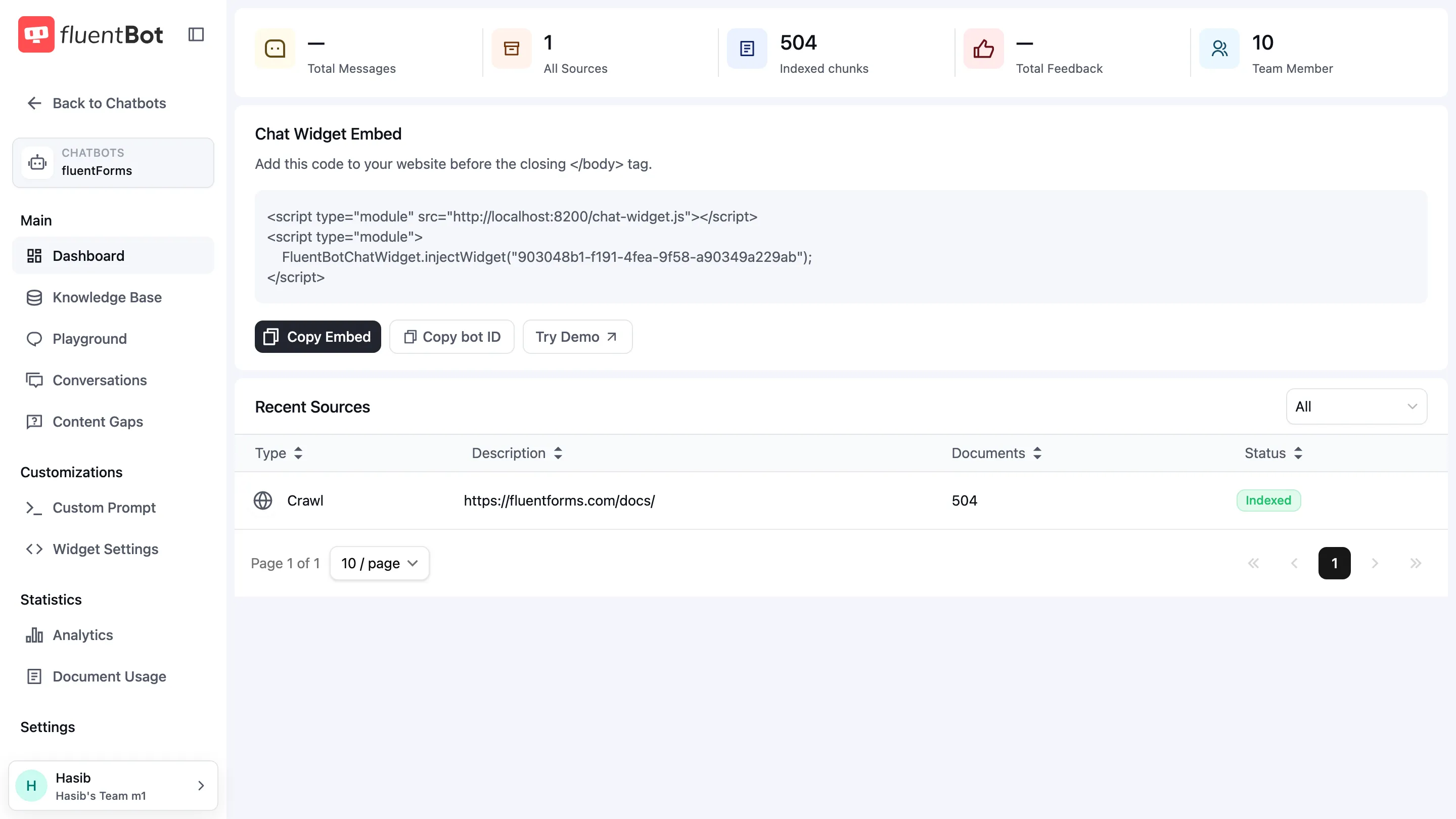
The snippet looks like this (your bot ID will differ):
<script type="module" src="https://cdn.jsdelivr.net/gh/fluent-docai/chat-widget@latest/chat-widget.js"></script><script type="module"> FluentBotChatWidget.injectWidget("YOUR_BOT_ID");</script>Use the copied snippet as-is. It should load the widget script from the FluentBot CDN, not from a development host.
2. Install it
Plain HTML
Paste the snippet right before </body>:
<body>  <!-- ...your page... -->
  <script    type="module"    src="https://cdn.jsdelivr.net/gh/fluent-docai/chat-widget@latest/chat-widget.js"  ></script>  <script type="module">    FluentBotChatWidget.injectWidget("YOUR_BOT_ID");  </script></body>
WordPress
- Block editor (any modern theme): add a Custom HTML block at the bottom of every page (or in a footer template part), paste the two
<script>tags, save. - Classic theme: open
footer.php, paste before</body>. - Plugin route: install any “Insert Headers and Footers” plugin, paste into the footer field — applies site-wide.
Framework examples
Pick your framework and add the snippet in the file shown at the top of the example.
import Script from "next/script";
export default function RootLayout({ children,}: { children: React.ReactNode;}) { return ( <html> <body> {children} <Script type="module" src="https://cdn.jsdelivr.net/gh/fluent-docai/chat-widget@latest/chat-widget.js" strategy="afterInteractive" /> <Script id="fluentbot-init" type="module" strategy="afterInteractive"> {`FluentBotChatWidget.injectWidget("YOUR_BOT_ID");`} </Script> </body> </html> );}import { Html, Head, Main, NextScript } from "next/document";
export default function Document() { return ( <Html> <Head /> <body> <Main /> <NextScript /> <script type="module" src="https://cdn.jsdelivr.net/gh/fluent-docai/chat-widget@latest/chat-widget.js" ></script> <script type="module" dangerouslySetInnerHTML={{ __html: `FluentBotChatWidget.injectWidget("YOUR_BOT_ID");`, }} /> </body> </Html> );}// src/main.tsx (Vite) or src/index.tsx (CRA)import { useEffect } from "react";import ReactDOM from "react-dom/client";import App from "./App";
function Root() { useEffect(() => { if (window.__fbWidget) return; const loader = document.createElement("script"); loader.type = "module"; loader.src = "https://cdn.jsdelivr.net/gh/fluent-docai/chat-widget@latest/chat-widget.js"; loader.onload = () => { window.FluentBotChatWidget?.injectWidget("YOUR_BOT_ID"); window.__fbWidget = true; }; document.body.appendChild(loader); }, []); return <App />;}
ReactDOM.createRoot(document.getElementById("root")!).render(<Root />);<script setup>import { onMounted } from "vue";
onMounted(() => { if (window.__fbWidget) return; const loader = document.createElement("script"); loader.type = "module"; loader.src = "https://cdn.jsdelivr.net/gh/fluent-docai/chat-widget@latest/chat-widget.js"; loader.onload = () => { window.FluentBotChatWidget?.injectWidget("YOUR_BOT_ID"); window.__fbWidget = true; }; document.body.appendChild(loader);});</script>
<template> <RouterView /></template>export default defineNuxtConfig({ app: { head: { script: [ { type: "module", src: "https://cdn.jsdelivr.net/gh/fluent-docai/chat-widget@latest/chat-widget.js", }, { type: "module", innerHTML: `FluentBotChatWidget.injectWidget("YOUR_BOT_ID");`, }, ], }, },});<body data-sveltekit-preload-data="hover"> <div style="display: contents">%sveltekit.body%</div>
<script type="module" src="https://cdn.jsdelivr.net/gh/fluent-docai/chat-widget@latest/chat-widget.js" ></script> <script type="module"> FluentBotChatWidget.injectWidget("YOUR_BOT_ID"); </script></body>---const botId = "YOUR_BOT_ID";---
<!doctype html><html> <body> <slot />
<script type="module" src="https://cdn.jsdelivr.net/gh/fluent-docai/chat-widget@latest/chat-widget.js" ></script> <script type="module" is:inline define:vars={{ botId }}> FluentBotChatWidget.injectWidget(botId); </script> </body></html>import { Links, Meta, Outlet, Scripts, ScrollRestoration,} from "@remix-run/react";
export default function App() { return ( <html> <head> <Meta /> <Links /> </head> <body> <Outlet /> <ScrollRestoration /> <Scripts /> <script type="module" src="https://cdn.jsdelivr.net/gh/fluent-docai/chat-widget@latest/chat-widget.js" /> <script type="module" dangerouslySetInnerHTML={{ __html: `FluentBotChatWidget.injectWidget("YOUR_BOT_ID");`, }} /> </body> </html> );}import React from "react";
export const onRenderBody = ({ setPostBodyComponents }) => { setPostBodyComponents([ <script key="fb-loader" type="module" src="https://cdn.jsdelivr.net/gh/fluent-docai/chat-widget@latest/chat-widget.js" />, <script key="fb-init" type="module" dangerouslySetInnerHTML={{ __html: `FluentBotChatWidget.injectWidget("YOUR_BOT_ID");`, }} />, ]);};<body> <app-root></app-root>
<script type="module" src="https://cdn.jsdelivr.net/gh/fluent-docai/chat-widget@latest/chat-widget.js" ></script> <script type="module"> FluentBotChatWidget.injectWidget("YOUR_BOT_ID"); </script></body>The __fbWidget guard in the React and Vue examples prevents double-mounting on development re-renders. In Astro, is:inline prevents the inline init script from being bundled.
Shopify
Settings → Edit code → theme.liquid → paste both script tags right before </body>.
Webflow
Project Settings → Custom Code → Footer Code → paste both script tags.
Wix
Open the Embed Code widget (Add Elements → Embed → Custom Code), paste both <script> tags, set placement to Body — end.
Squarespace
Settings → Advanced → Code Injection → Footer → paste both script tags. Available on Business plans and above.
SPA caveat
For all SPA frameworks above (React, Vue, Nuxt, SvelteKit, Astro, Remix, Gatsby, Angular): mount the widget once at app startup, not on every route change. The widget instance persists across client-side navigations. Re-mounting causes duplicate widgets.
If your site passes a signed visitor identity, wait until the logged-in visitor is known before calling FluentBotChatWidget.injectWidget(...) — see Widget SDK.
3. Verify
- Open your site in an incognito window.
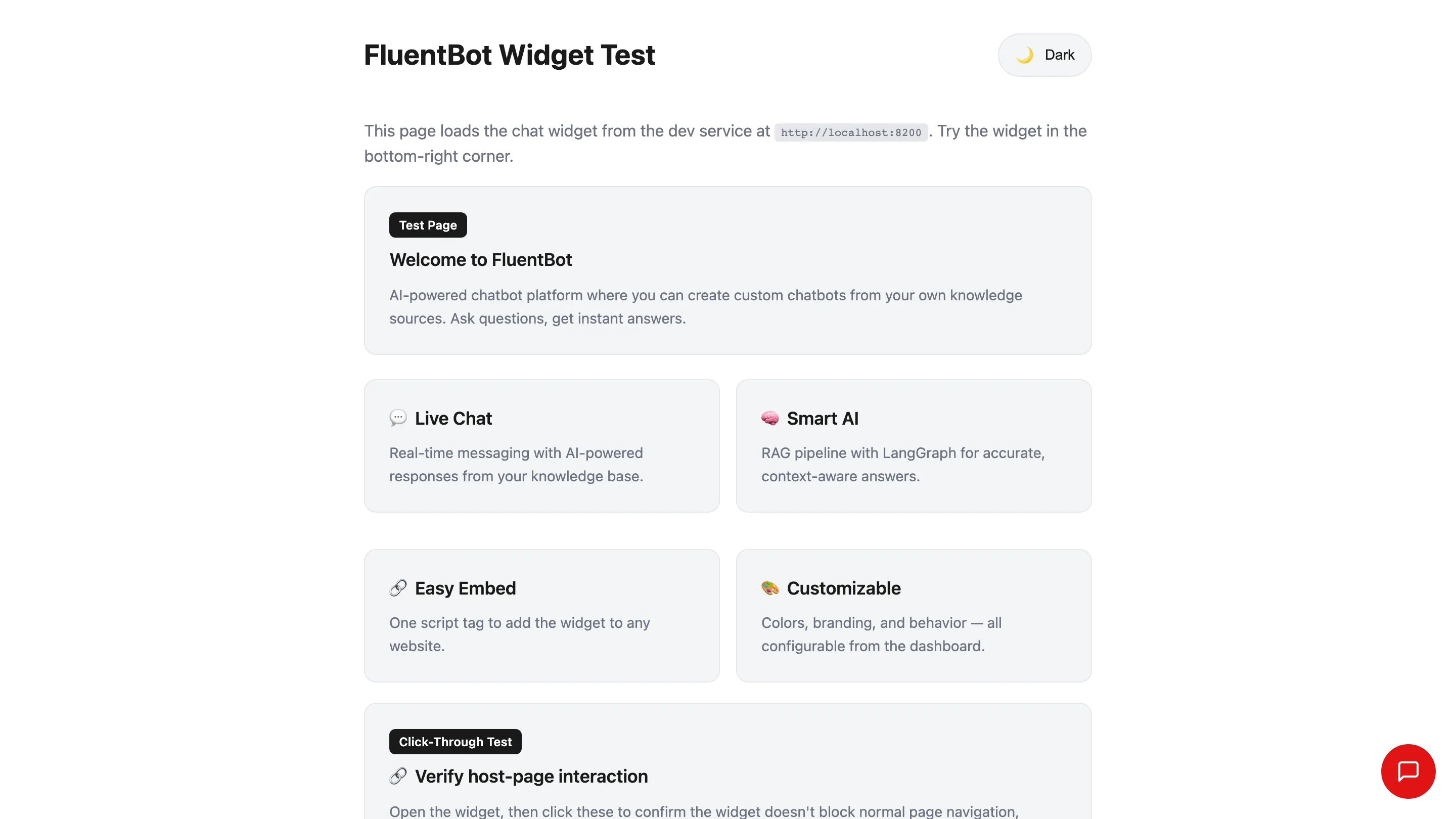
- A floating bubble appears in the bottom-right corner.
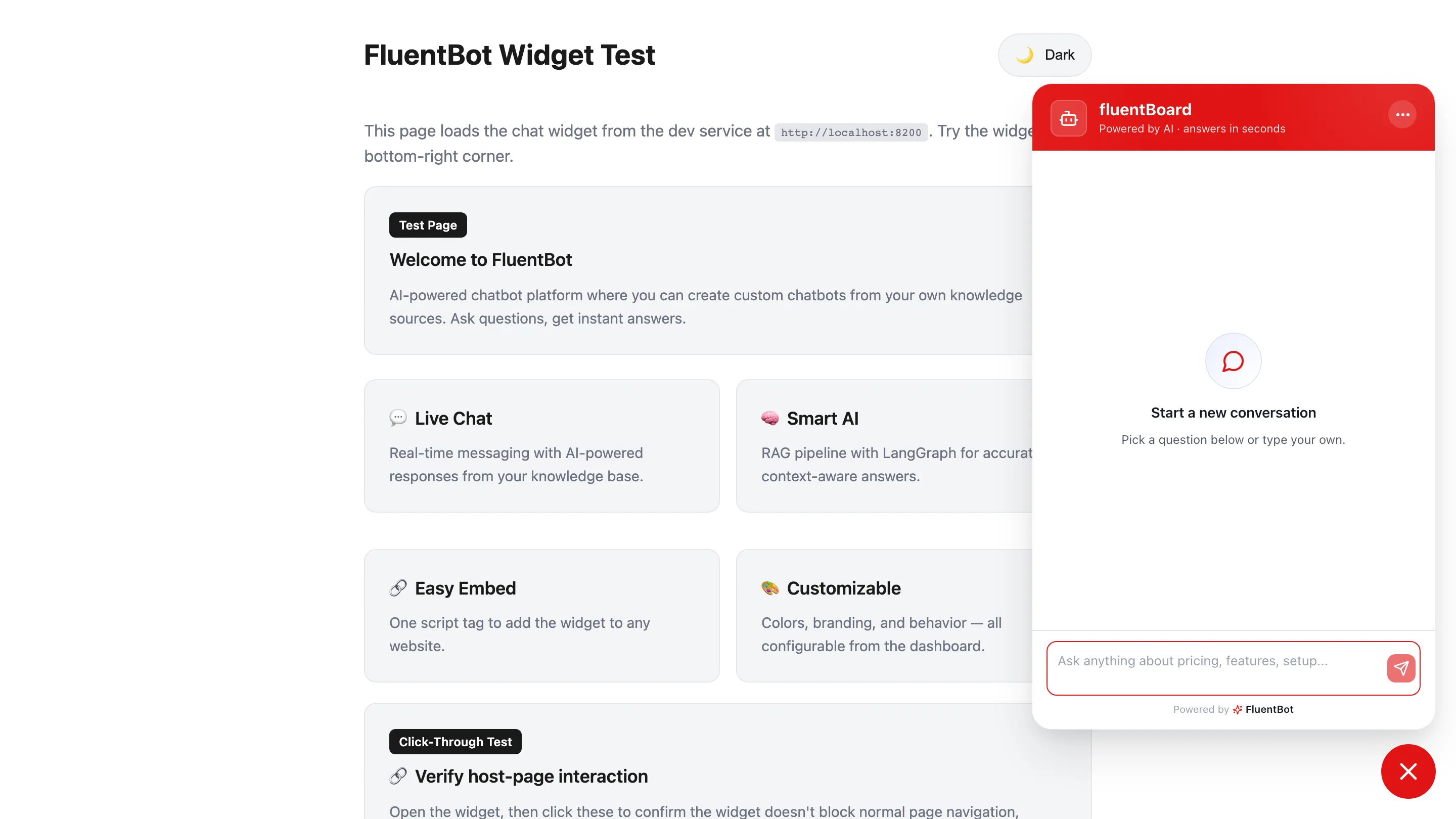
- Click the bubble. The widget expands with a header (your bot name), a greeting, and a compose box.
- Send a test message. The bot should answer using your sources.
Troubleshooting
- Widget doesn’t appear — check the browser console for CSP or CORS errors. Whitelist
cdn.jsdelivr.netif your CSP blocks third-party scripts. - Widget appears but won’t chat — verify the bot ID in
injectWidget(...)matches the one on your bot Dashboard. Mismatched ID = silent fail. FluentBotChatWidget is not defined— first script tag didn’t load before the second one ran. Make sure both<script type="module">tags are present and in order. Withnext/script, both must usestrategy="afterInteractive".- Style clash — the widget renders inside a shadow DOM, so host-page CSS shouldn’t leak in. If it does, file a ticket.
- CSP blocks unpkg or jsdelivr — add
script-src 'self' https://cdn.jsdelivr.net(andconnect-srcfor API calls back to your FluentBot host) to your Content-Security-Policy.
What’s next
- Widget customization — colors, fonts, position, greeting, title.
- Identity verification — attach the widget to a logged-in user so the bot has visitor context.
- Human escalation — route unanswered chats to a live agent.