

Content Gaps
A content gap is a question the bot could not answer confidently. FluentBot surfaces these on the Content Gaps page so your team can improve the knowledge base with real visitor questions.
This page covers the concept and workflow. For the screen-driven walkthrough, see Navigating Your Bot → Content Gaps.
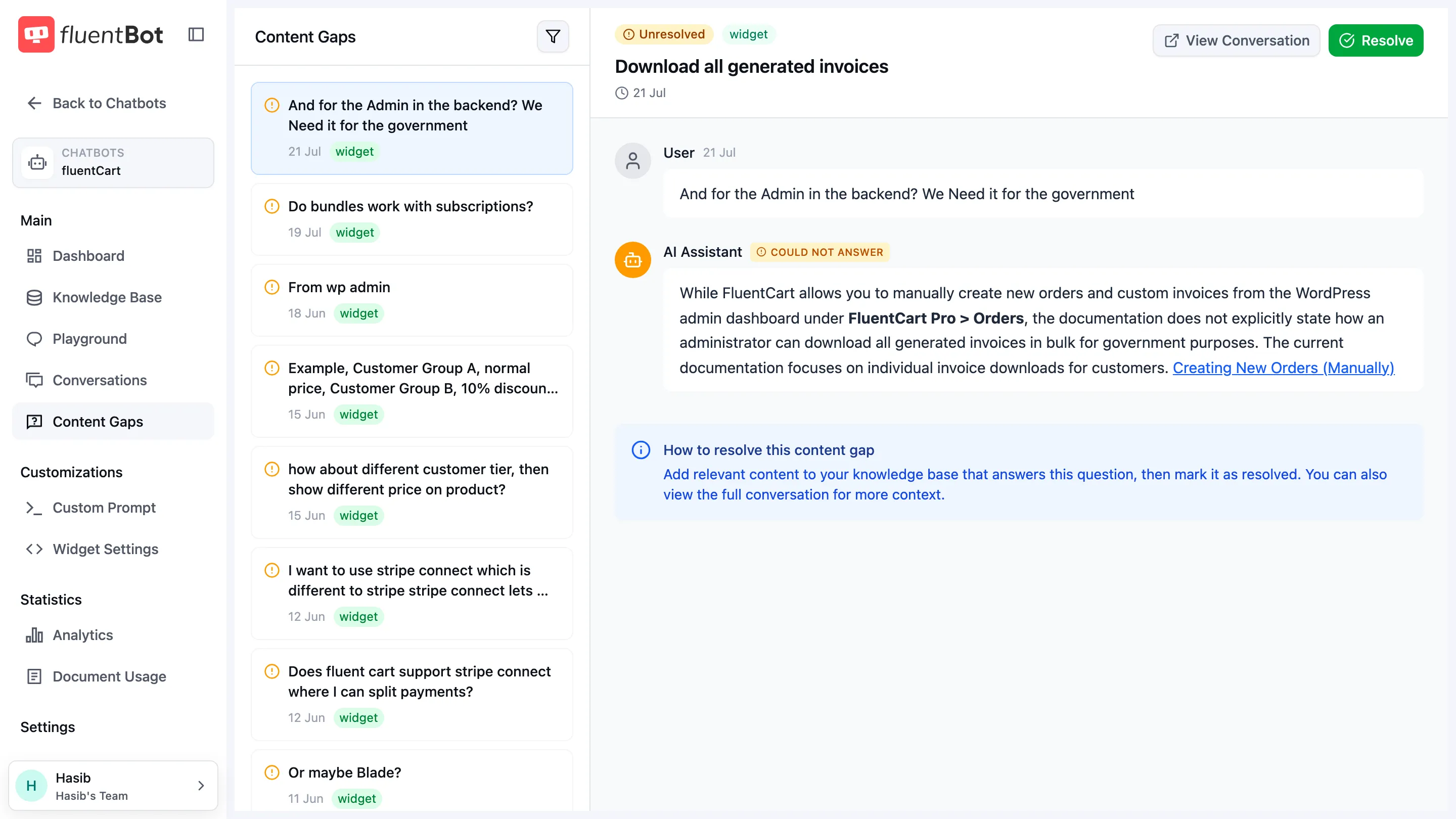
What gaps tell you
Each gap is a real question your audience asked. Treat the list as a roadmap for content work, not just a queue to clear.
Common categories:
- Missing content — add or update a source.
- Off-topic chitchat — mark resolved without adding content.
- Unclear phrasing — add a clearer FAQ or text source that uses the language visitors actually use.
- Complex question — split the answer into clearer source material or add a more direct explanation.
Workflow
- Open Content Gaps and filter to Unresolved.
- Open the oldest gap.
- Read the visitor’s question and the bot’s reply.
- Decide whether the bot should answer it.
- Add or update source content if needed.
- Test the question in Playground.
- Mark the gap resolved.
Resolving gaps
Resolving a gap marks that specific item as handled. If a similar question appears again, review it as a signal that the source content may still be unclear or incomplete.
For recurring gaps, add a concise Text source or update the original article with the exact wording visitors use.
You can resolve or unresolve one gap from its detail view, or select multiple gaps and bulk resolve / unresolve them from the list.
Quality signals
Content gaps work best alongside:
- Feedback — thumbs-up and thumbs-down on individual replies.
- Conversations — full chat context around a question.
- Analytics — traffic and token trends.
What’s next
- Content Gaps page — the list view.
- Train your bot — adding the source that fills a gap.
- Playground — verify a fix before marking resolved.