

Usage & Tokens
FluentBot shows two kinds of usage:
- Plan usage - how many bots, indexed pages, and messages your team has used in the current plan period.
- Token usage - how much AI processing your bots used while answering questions.
Plan usage appears on Plans & Billing. Bot-level token activity appears in Analytics.
Plan usage
The Billing page summarizes the limits included in your plan:
| Counter | What it tracks |
|---|---|
| Chatbots | Bots in the current team. |
| Pages | Indexed pages across all sources. |
| Messages | AI responses generated this period. |
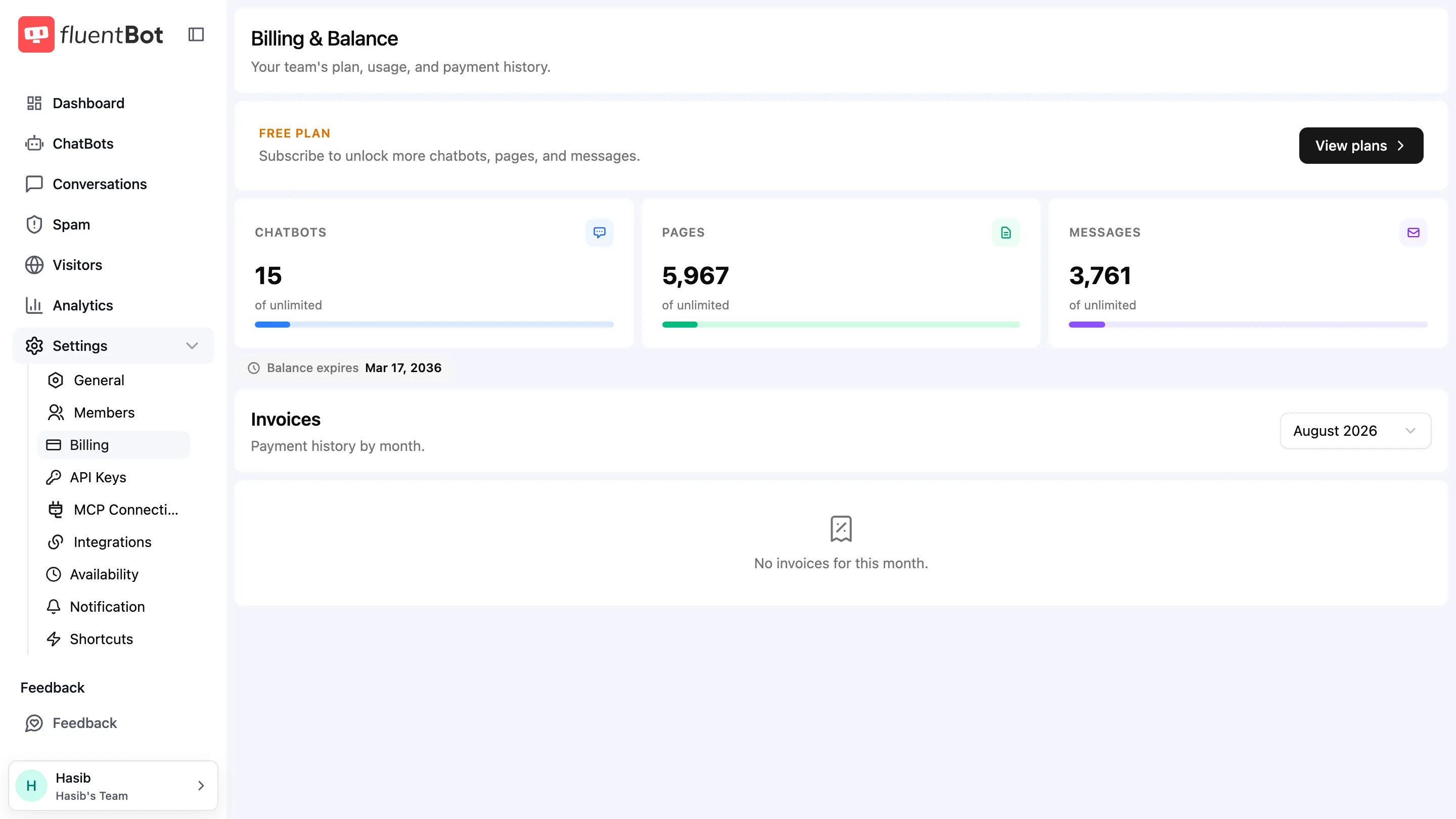
When you reach a plan limit, FluentBot will prompt you to upgrade or wait until the next plan period, depending on the limit.
Use the percentage bars to spot risk before the limit is reached. The billing period expiry below the cards shows when the current balance resets.
Token usage
Token usage helps you understand how much AI activity a bot is generating. Open a bot and choose Analytics. The summary cards show total input, output, and combined tokens for the selected date range.
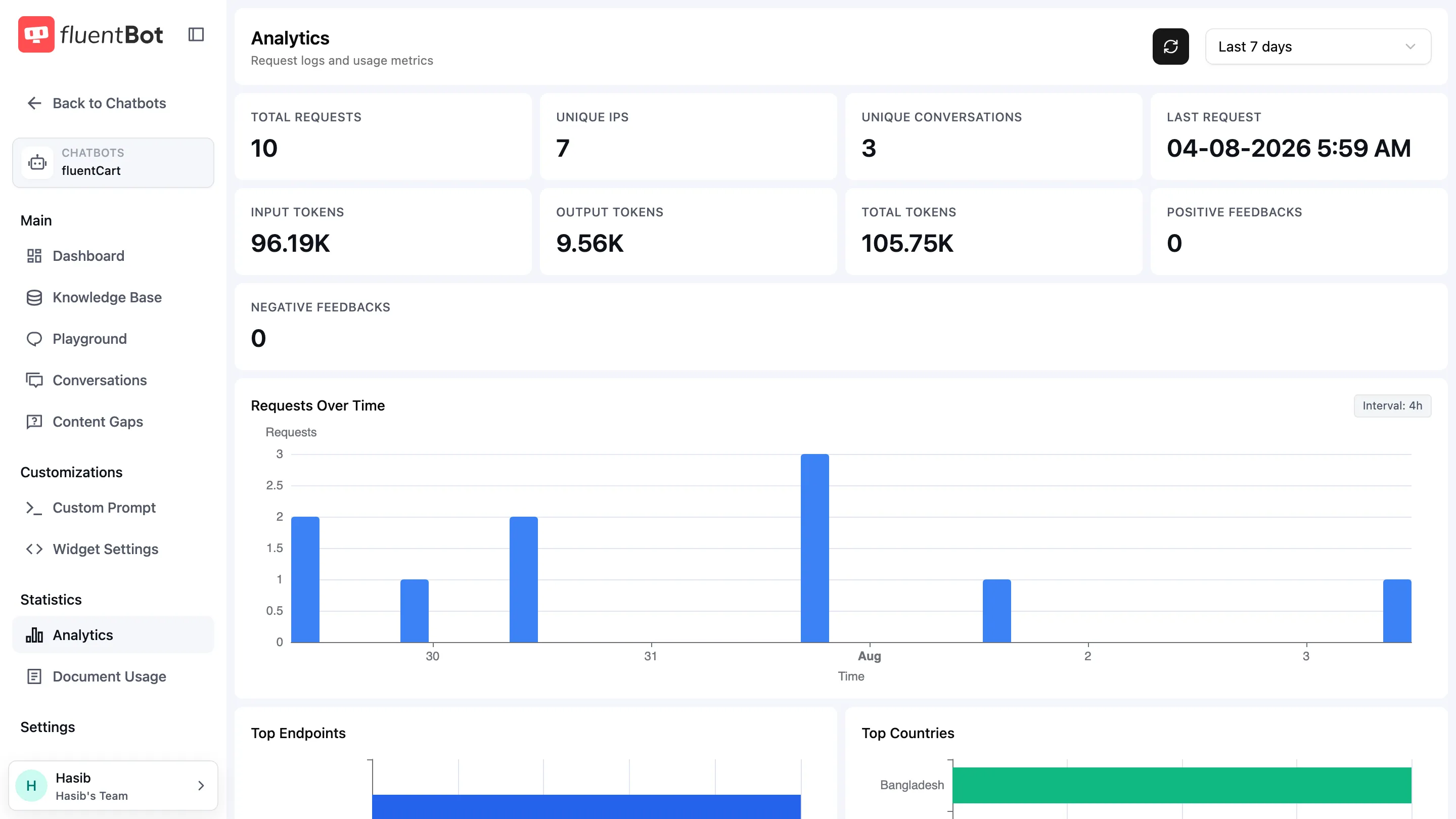
The Token Usages table shows:
- Time
- Source
- Input
- Output
- Total
The source filter lets you inspect specific token producers:
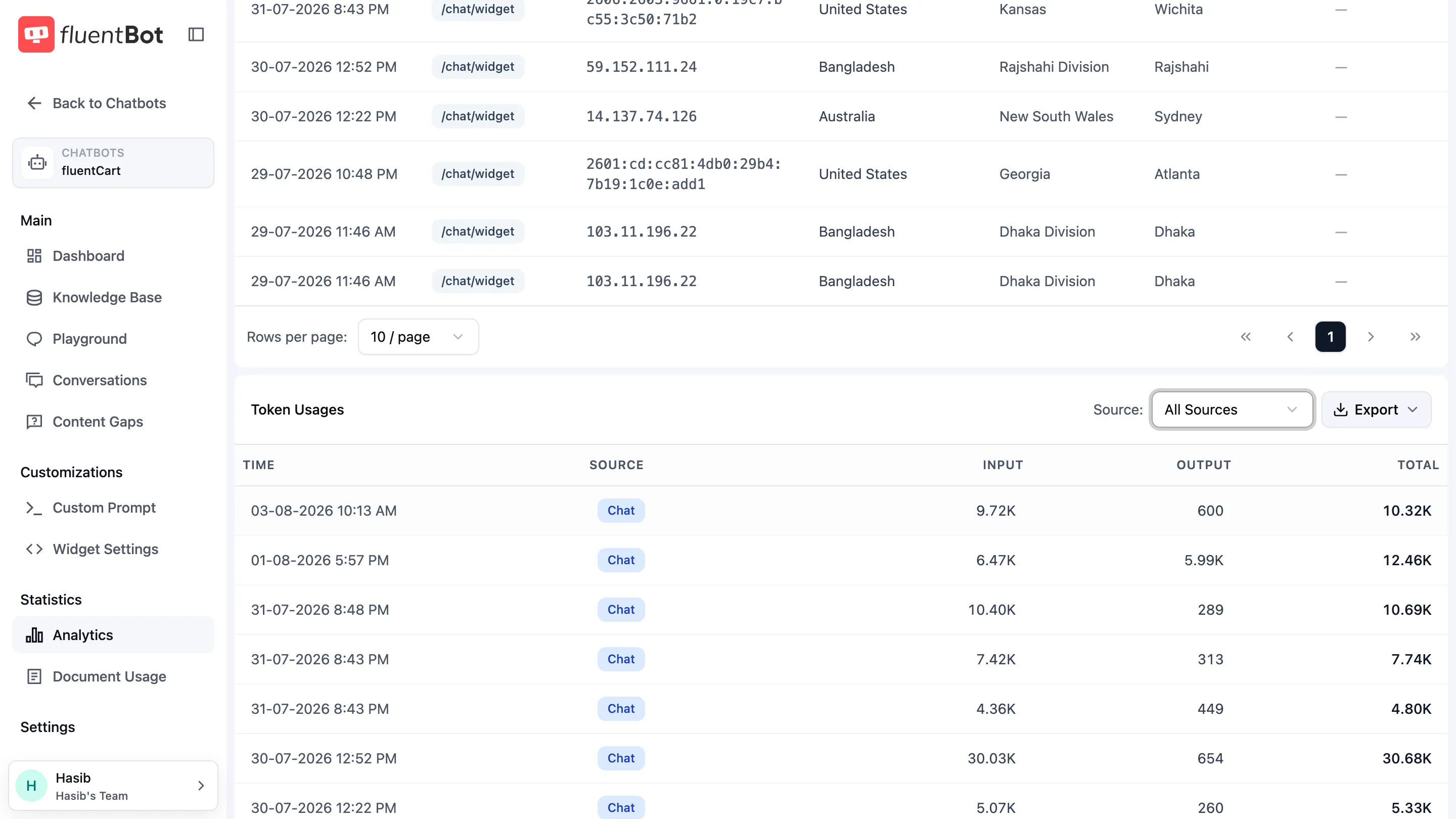
| Source | What it represents |
|---|---|
| Chat | Standard chatbot answers. |
| FS Chat | Fluent Support chat answers. |
| Responses | Responses API activity. |
| Ticket Summary | AI-generated ticket summaries. |
Use the date-range filter at the top of Analytics and the table’s source filter together to inspect a specific period or workflow. Pagination and Rows per page control how much of the table is visible at once.
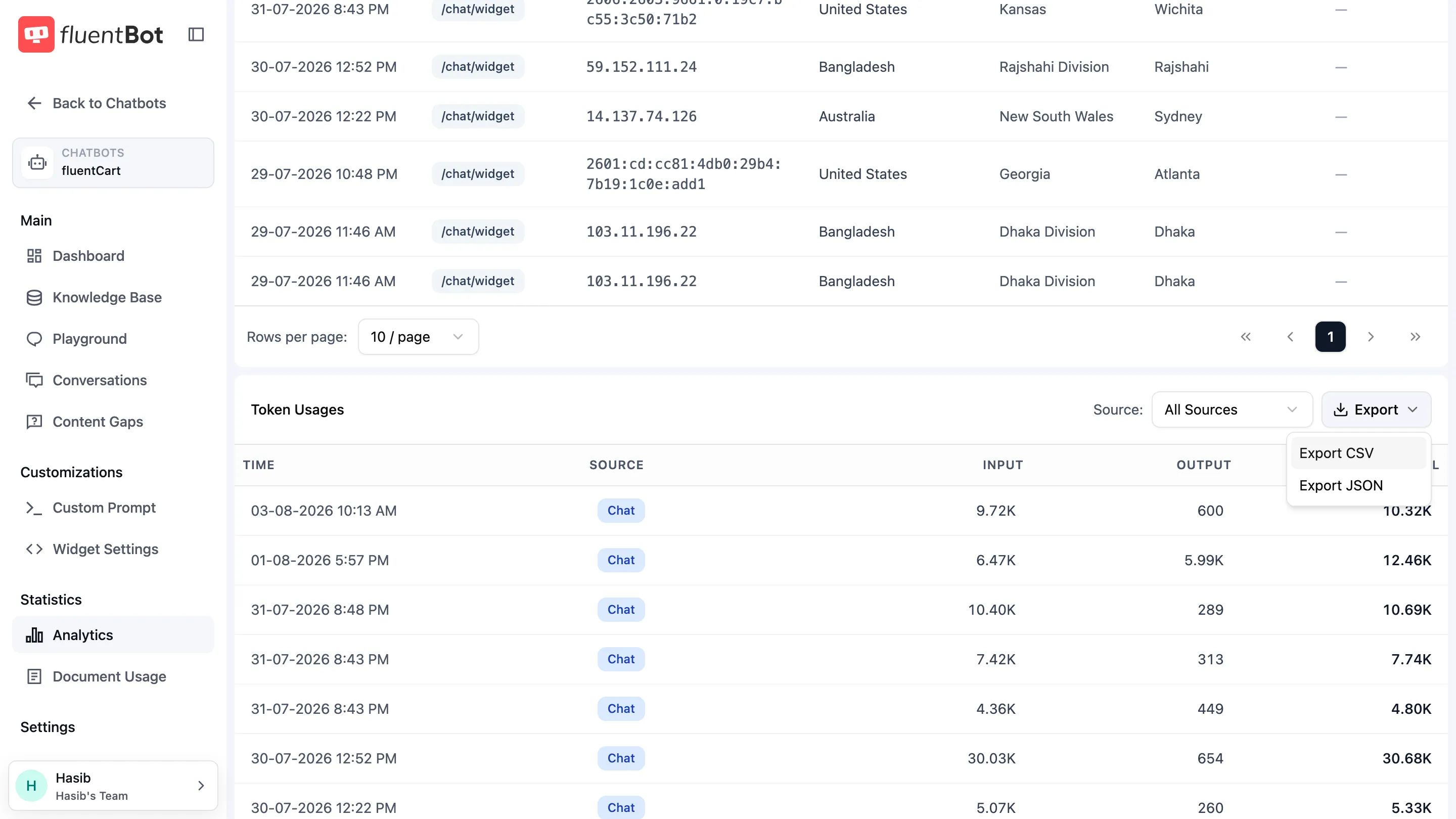
Use Export to download the filtered token table as CSV or JSON.
How to use the numbers
- A sudden increase in messages usually means more visitor traffic.
- A sudden increase in tokens can mean longer answers, broader questions, or recently expanded source content.
- A bot with high traffic but low feedback may need better starter prompts or clearer handoff options.
Troubleshooting
- Bot stopped responding - check Plans & Billing for exhausted plan usage.
- Token totals look higher than expected - check the bot’s Analytics page by date range and source.
- Usage changed after retraining - newly added or expanded sources can change how much context the bot uses in answers.
What’s next
- Plans & Billing - manage subscription and plan limits.
- Analytics - inspect bot-level request and token activity.
- Content gaps - improve coverage when users ask unanswered questions.