

Visitor Tracking
For every visitor chat, FluentBot captures lightweight metadata to help agents understand who they’re talking to and to surface aggregated analytics.
What’s tracked
For widget chats and request logs:
- IP address — visitor IP.
- Geolocation — country, region, city, derived from the IP through a lookup service.
- Timezone — stored when the geo lookup returns it.
- Browser — parsed browser family, such as Chrome, Firefox, Safari, or Edge.
- Source — where the chat came from, such as widget, API, Playground, or Fluent Support.
- Timestamps — chat time, last seen time, and per-request log time.
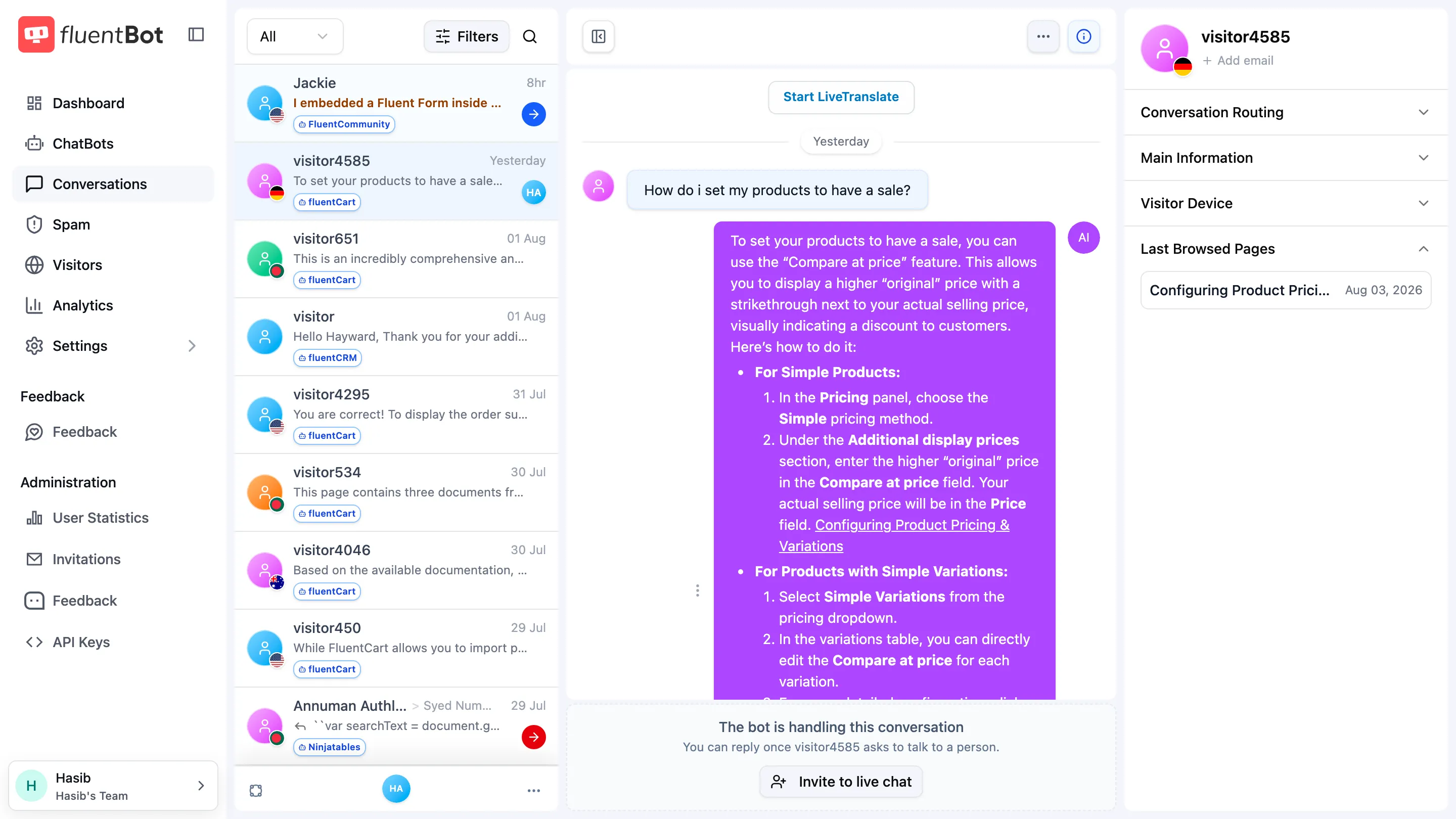
- Last browsed pages — up to the latest 10 widget page URLs and titles for that visitor session.
Where it surfaces
- Conversations — each conversation row shows visitor name (if captured), source, and timestamp; the conversation pane can open an info popover with IP / geo / browser.
- Analytics — top countries, top endpoints, IP filter on the request log table (see Analytics).
- Live Chat — the visitor panel shows main information, conversation routing, visitor device, and last browsed pages.
- Visitors — main sidebar → Visitors: a live world map of visitors currently online (see below).
Live Visitors map
Open the main sidebar → Visitors to watch who is on your site right now. The page is split into a live visitor list and a world map:
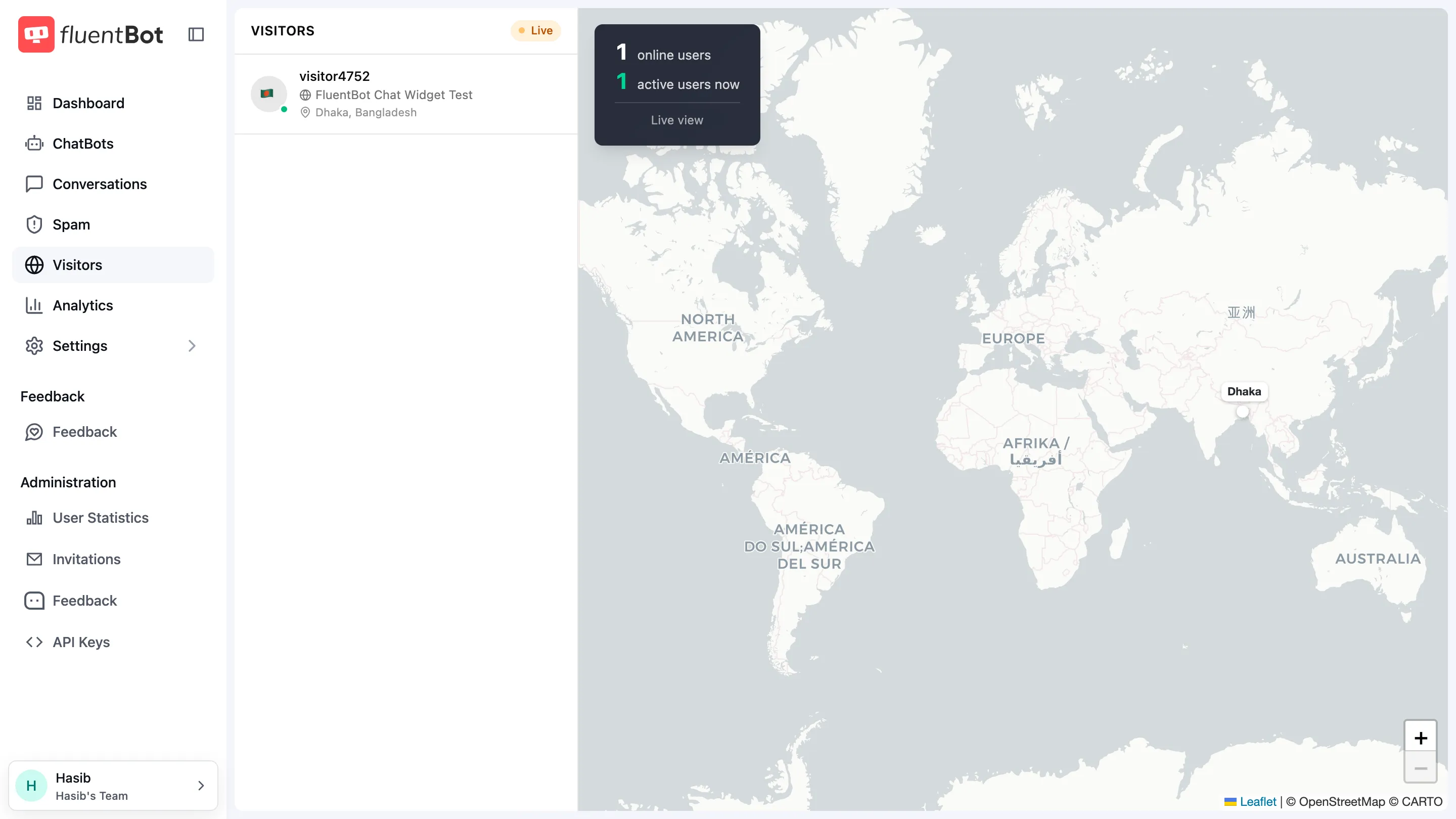
- Visitor list — one row per online visitor with their country flag, name (or anonymous identifier), the page they’re viewing right now, and their city and country. While the current page is still unknown the row reads Browsing….
- World map — a marker per visitor, placed by IP geolocation. Click a list row to highlight its marker on the map, or click a marker to highlight and scroll to its row.
- Counters — the overlay card shows online users and active users now, and the header carries a Live badge.
How presence works
Presence comes from widget heartbeats — no extra setup on your site:
- Online — the visitor’s widget was seen within the last ~5 minutes.
- Active now — activity within the last minute.
The page updates in real time as visitors join, move between pages, and leave; you don’t need to refresh. When nobody is online it reads No visitors online right now.
Use it to time outreach: if a visitor is sitting on your pricing page, that’s the moment to say hello from Live Chat.
What’s not tracked
- Full click paths or product analytics on the host site — FluentBot doesn’t ship a website analytics SDK.
- Cookies set on the host site beyond what the chat widget itself uses.
- Cross-device identity — without identity verification, the same person on phone + laptop looks like two visitors.
For verified cross-device identity, see Identity Verification.
Privacy considerations
- IP addresses and derived geolocation are stored per-chat. They’re considered personal data in many jurisdictions (e.g. GDPR).
- Make sure your privacy policy covers chatbot data collection.
- Visitor email capture is a separate flow; see Email Capture.
If you need to redact tracking for a region or compliance reason, gate the widget behind your own consent banner — the widget mounts only when you call injectWidget(...), so don’t call it until consent is granted.
Multi-session visitors
The same visitor across multiple browser sessions can appear as separate visits unless you use identity verification.
Backfill / lookup gaps
Geolocation lookups can fail (private IPs, very new prefixes, lookup service hiccup). When that happens you’ll see — in the country/region/city columns. The chat itself still works.
What’s next
- Conversations — visitor info per chat.
- Analytics — aggregated geo / IP data.
- Identity Verification — link visitor identity to your own system.
- Email Capture — capture visitor email for follow-up.