
AI-First,
Human-Led
Customer Support
Answer customer questions with AI agents trained on your business, and loop in your team the moment a human touch is needed.
Built for the Way Your Industry Works
From choosing a product to getting started, give customers useful answers backed by your business knowledge.





E-commerce & Online Stores: Help shoppers understand products, shipping, and return policies. Give your support team the information they need to handle more personal requests.
Help Customers Choose, Get Started, and Keep Moving
Turn your business knowledge into helpful conversations. Guide visitors before they buy, handle objections in chat, and support new customers through the setup process.
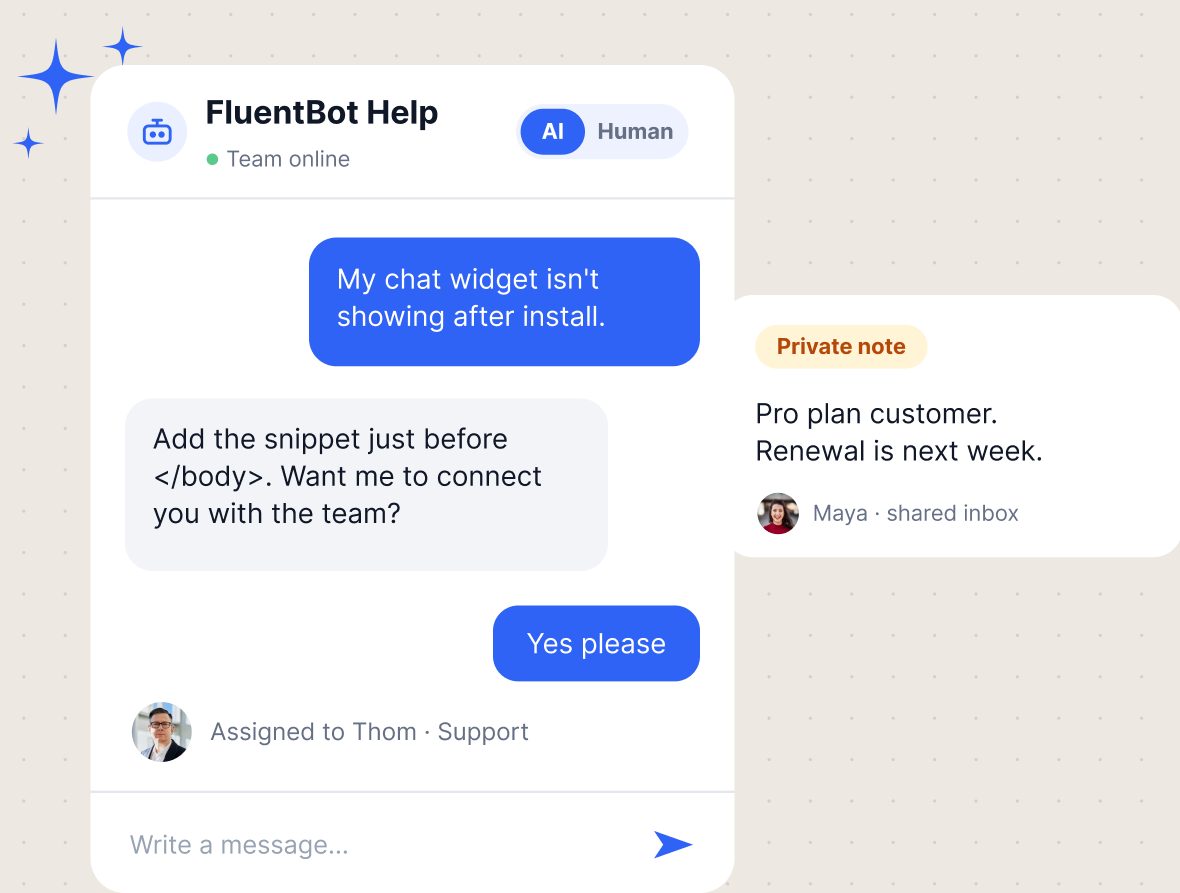
Customer Support
Give customers answers from your help content and connect them with your team when they need more help. Keep conversations, assignments, and private team notes together in one shared inbox.
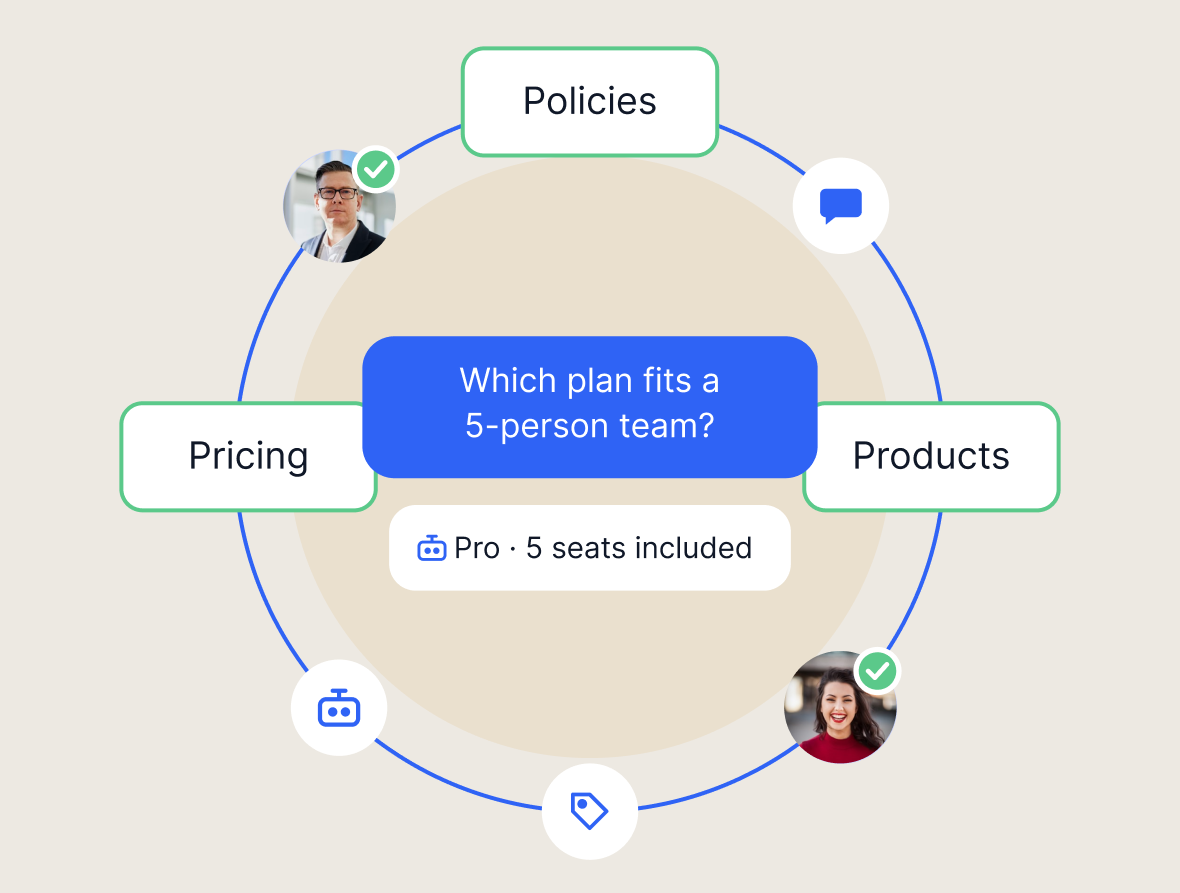
Pre-Sales
Help visitors understand your products, pricing, and policies before they decide. Answer common questions with AI and let your team step in for a more detailed conversation.
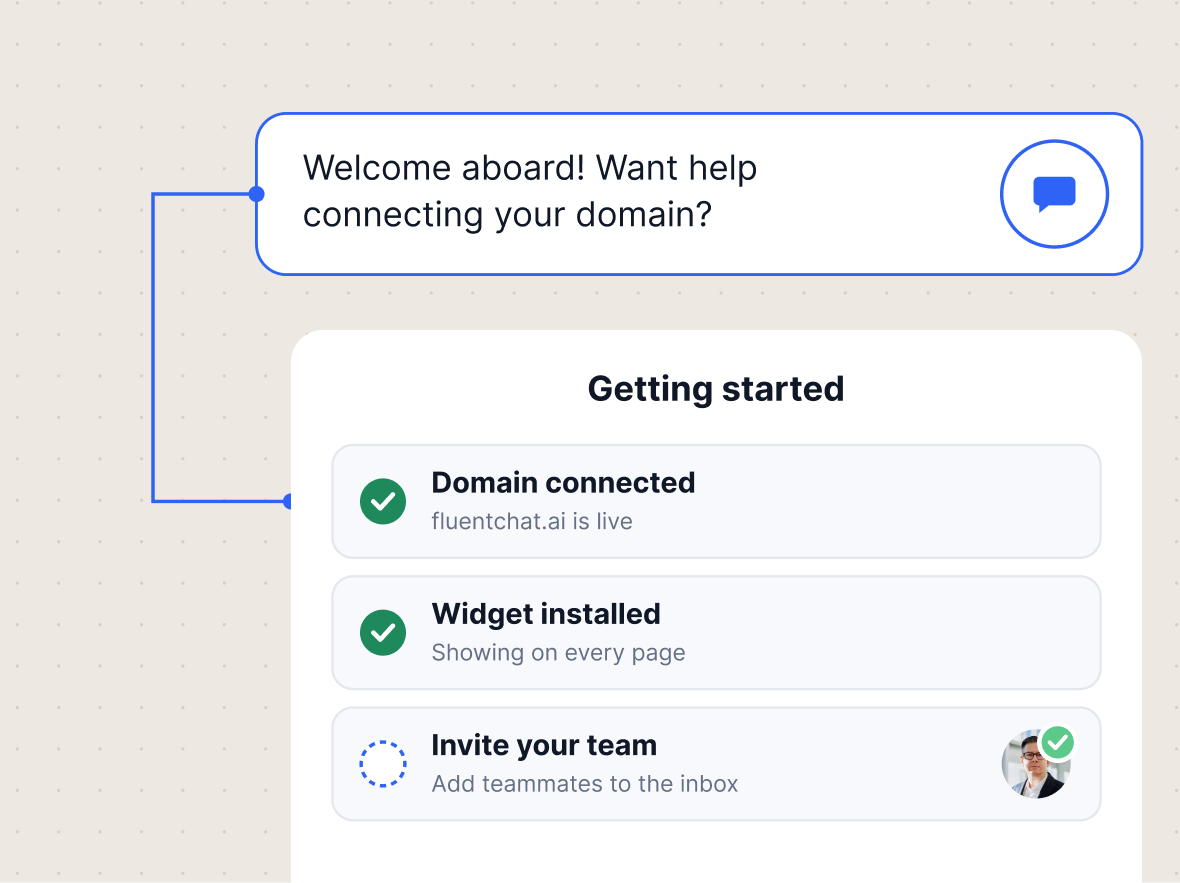
Customer Onboarding
Turn setup guides and product documentation into conversational help. Walk customers through getting-started questions and connect them with your team when they get stuck.
Put Your AI Chat Agent to Work in Three Steps
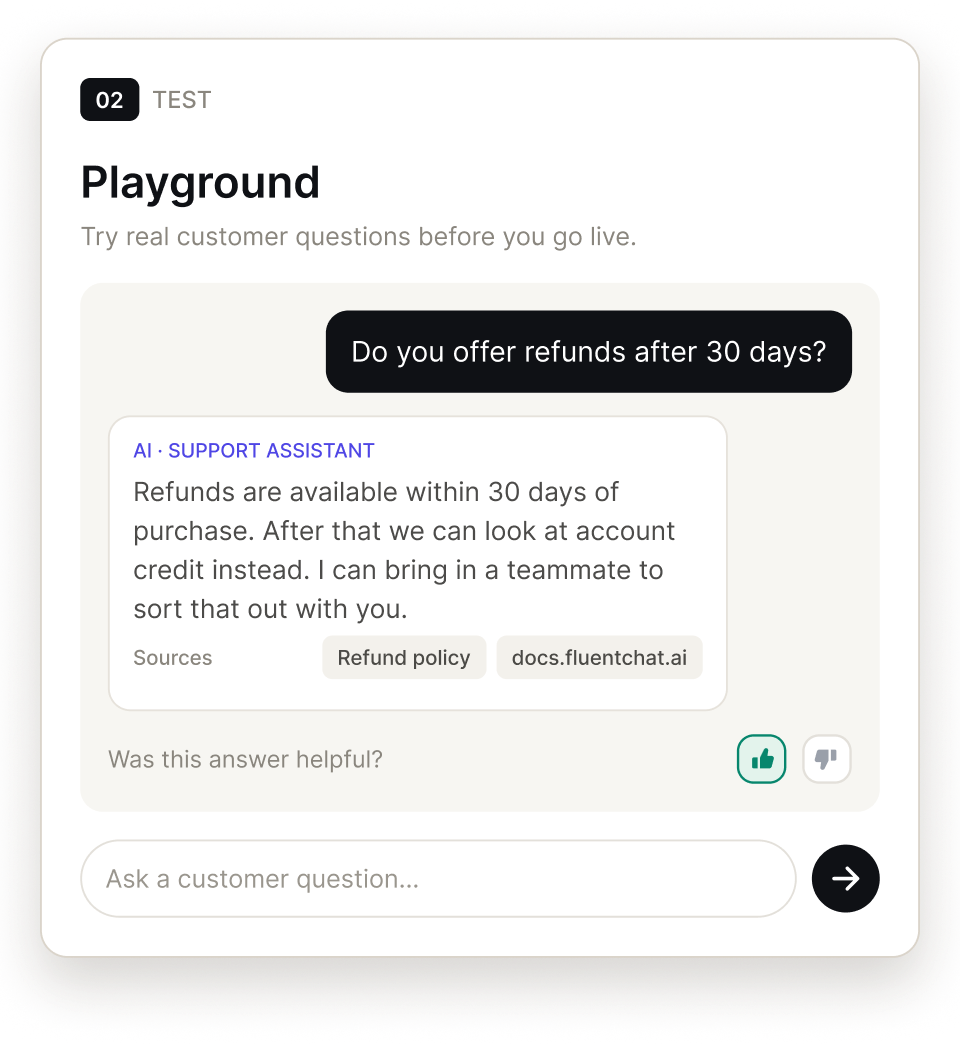
Create your agent, give it your business knowledge, test its answers, and bring it to your website.
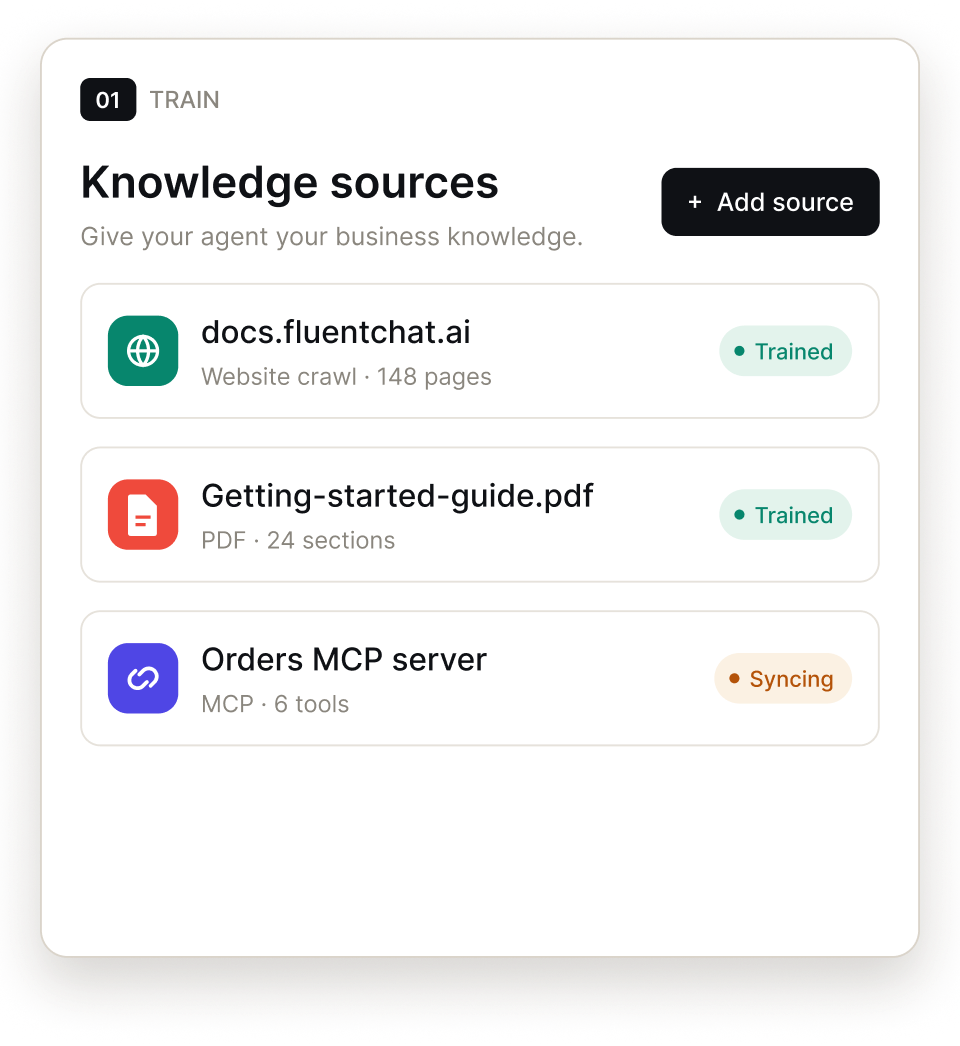
Point it at a URL, a list of URLs, a full site crawl, MCP servers, or a sitemap. Also build on that knowledge with documents and pasted text.
Ask real customer questions in the playground. Review the responses and refine your agent's instructions and knowledge before going live.
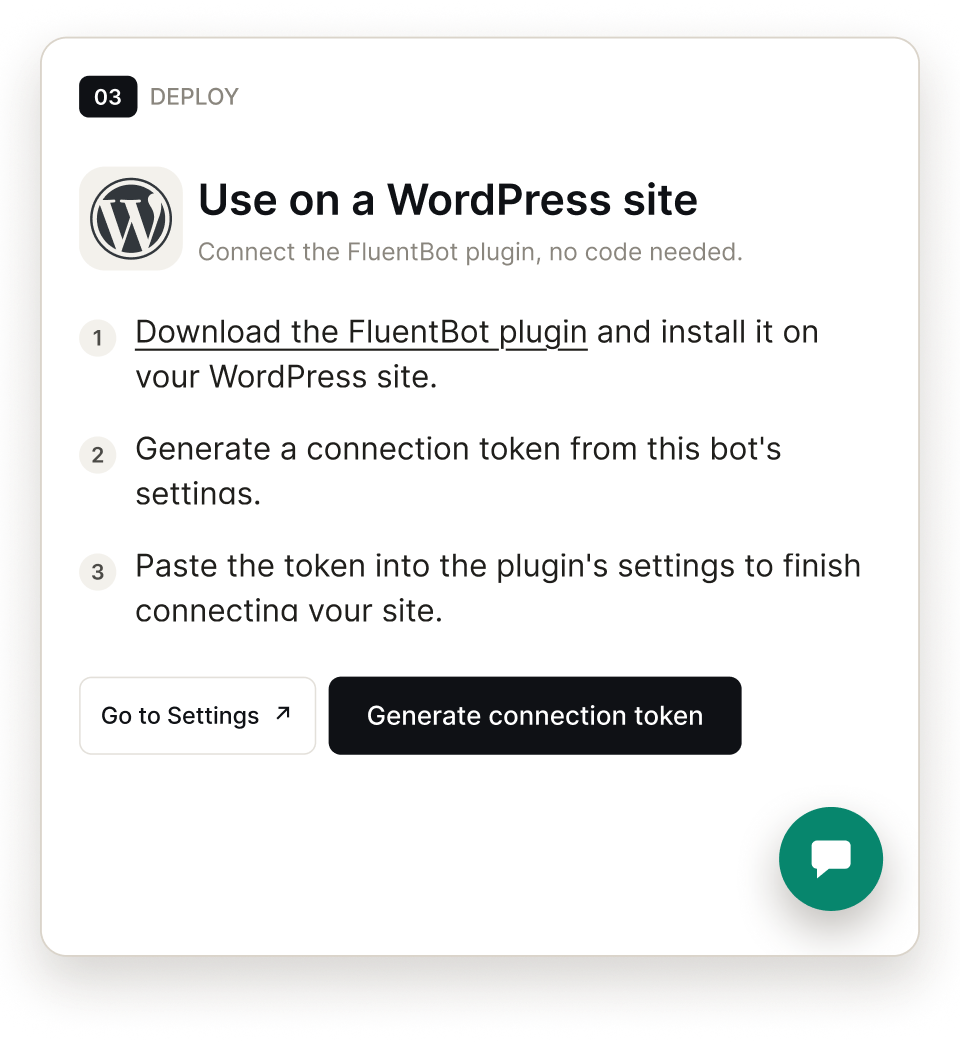
Embed the widget on any website with an embed snippet, or connect WordPress with the plugin. And it goes live.
Bring Your AI, Your Team, and Your Customer Conversations Together
Build agents, run live chat, manage one knowledge base, and work every conversation from a single workspace.
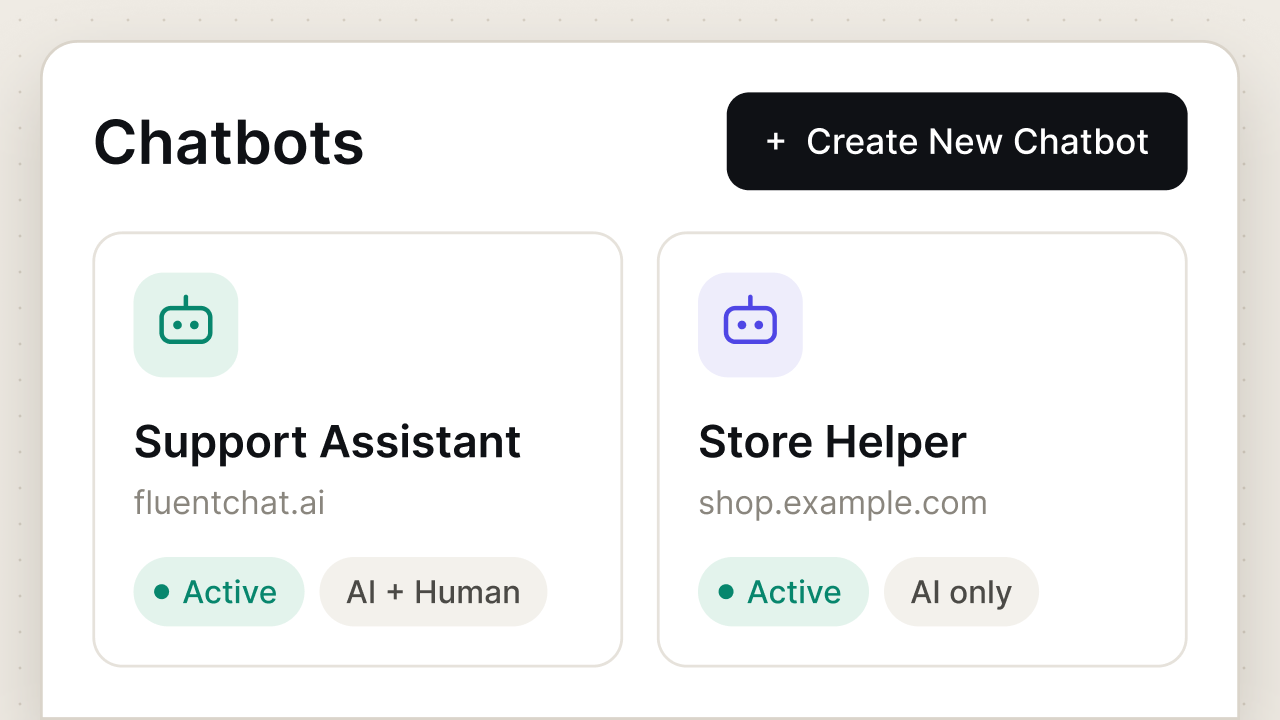
AI Agents
Give each product, brand, or website an agent with the knowledge and guidance it needs.
Live Chat and Widget
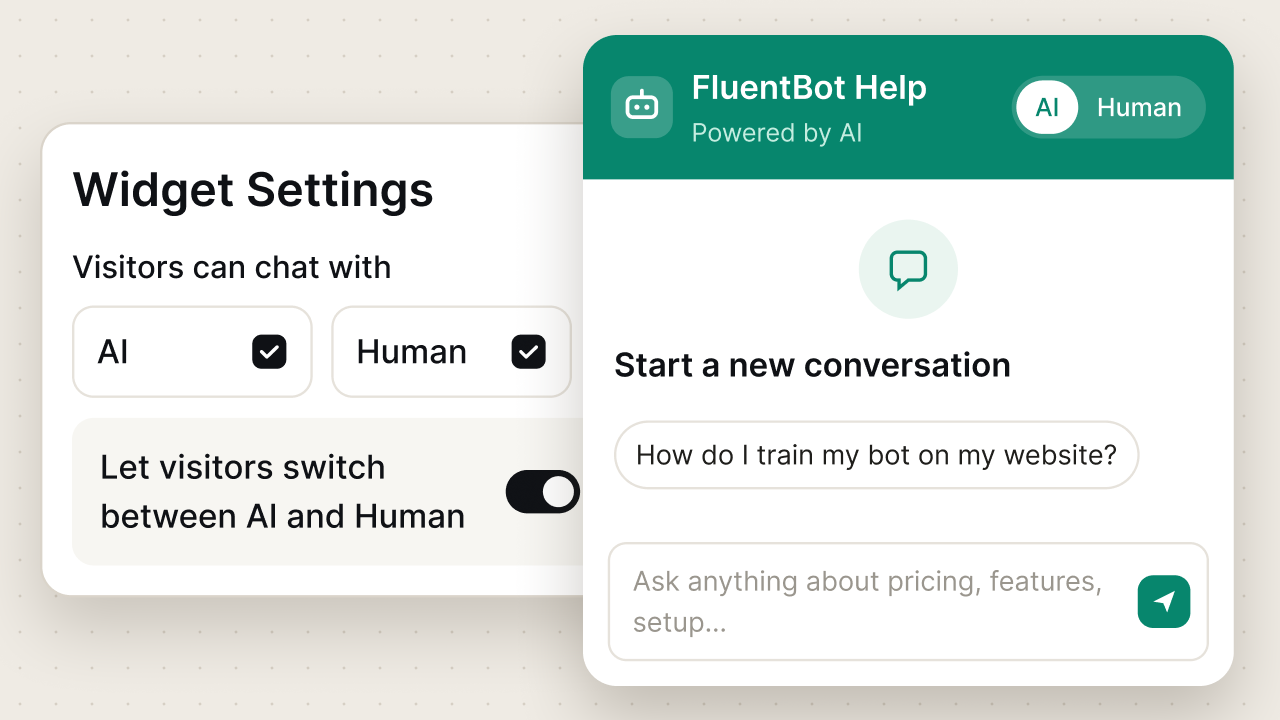
Choose how visitors get help and shape the widget they use to reach you.
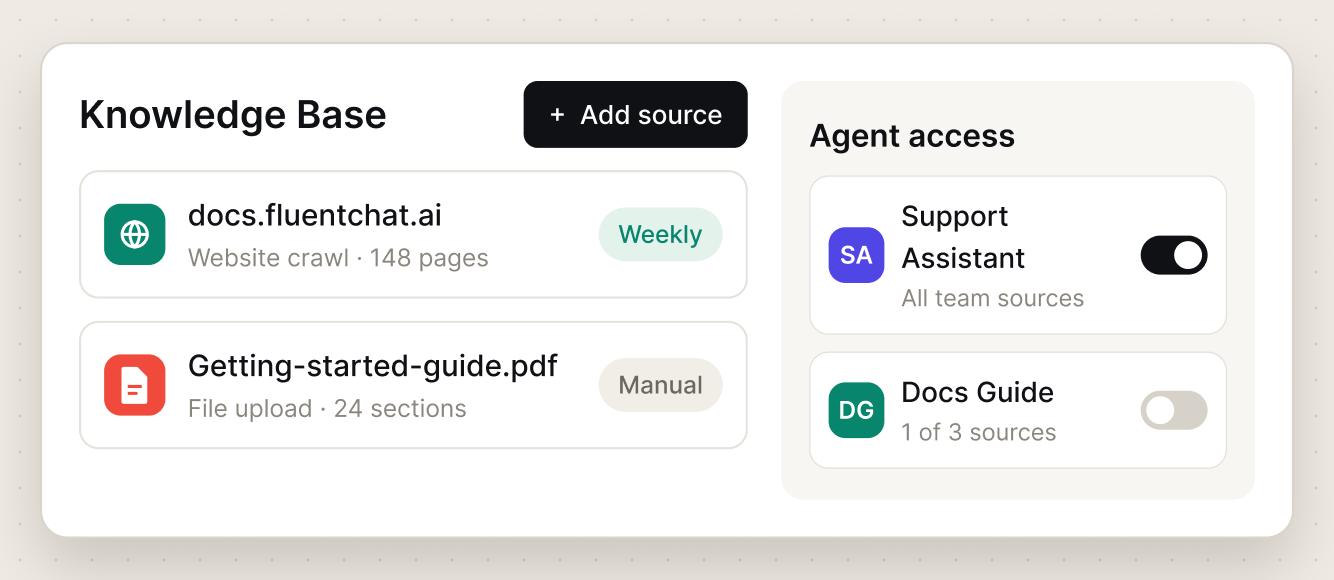
Knowledge Base
Keep your team's knowledge together and choose which sources each AI agent can use.
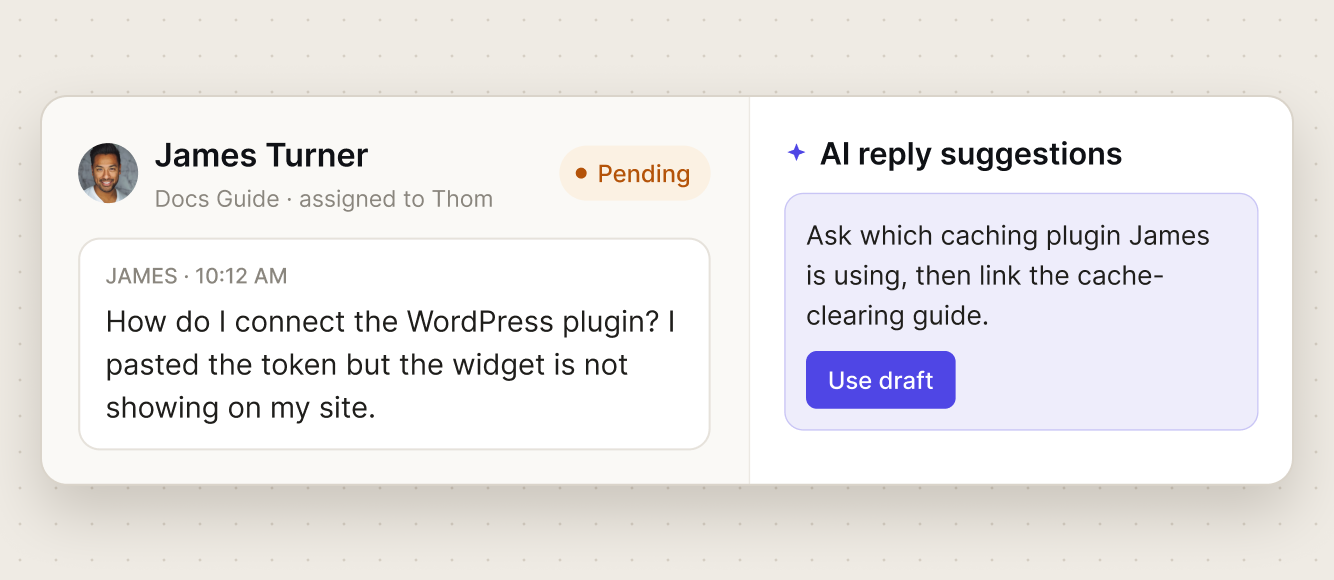
Shared Conversations
Work every AI and human conversation from one inbox, with the context and the drafts already there.
Super Clean AI-to-Human Handoff
You decide when the AI steps aside. Set a missed-answer limit, cover the hours your team is offline, and switch the second a visitor asks for a person.
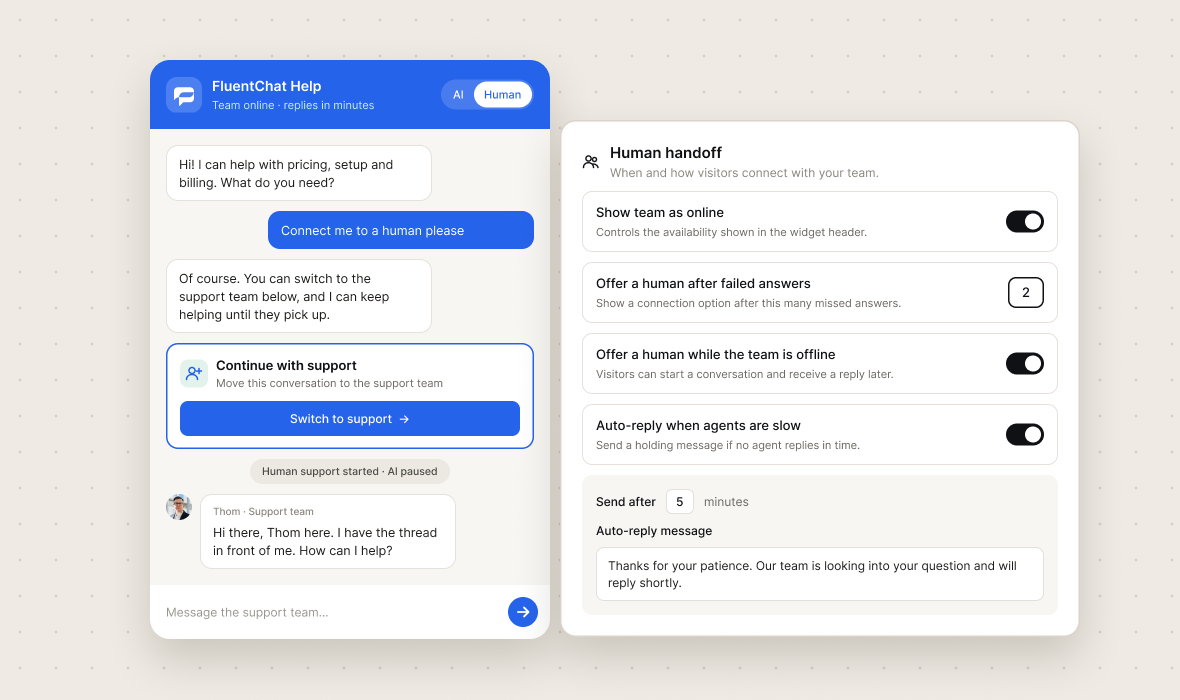
Just ask for a human
"Connect me to a human" is enough. The AI reads it and offers the switch right there in the thread.
Offer before they ask
After a number of missed answers you set, the AI stops guessing and puts a person in front of the visitor.
AI covers the gap
It keeps helping while the visitor waits for your team, and they can switch back any time.
When you are offline
Visitors start a conversation while your team is away, leave an email, and get the reply wherever they are.
Run AI only, humans only, or both. Choose which one answers first.
Bring FluentChat to Any Website
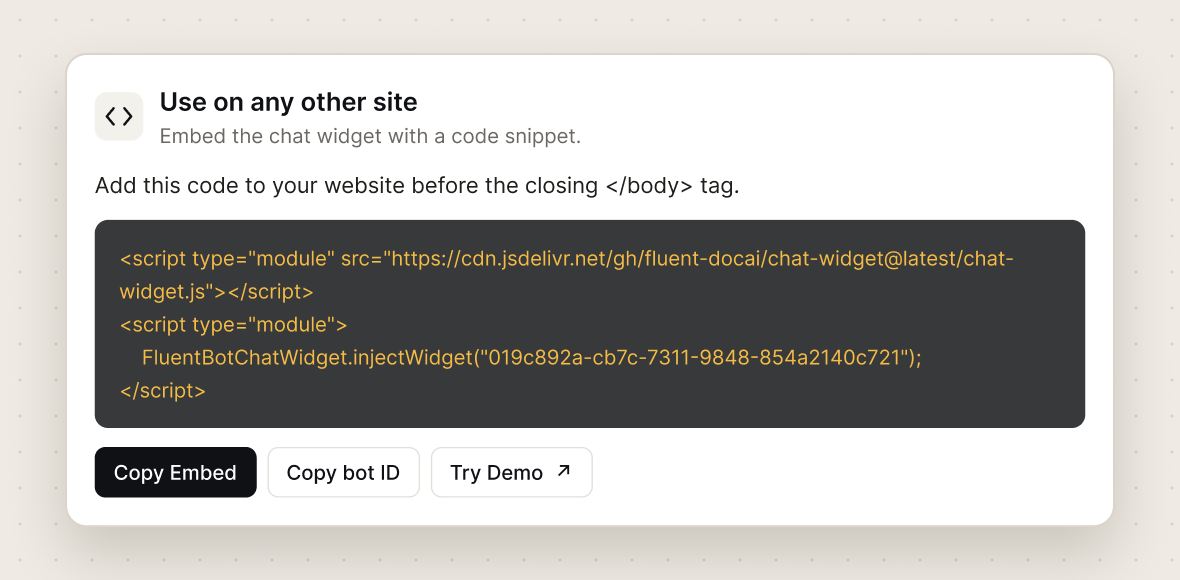
Connect the plugin if you run WordPress. Add an embed snippet if your platform supports custom scripts.
Copy your agent's snippet and paste it into your site's custom-code area or before the closing body tag. Bring AI answers and live support to websites that allow custom scripts.
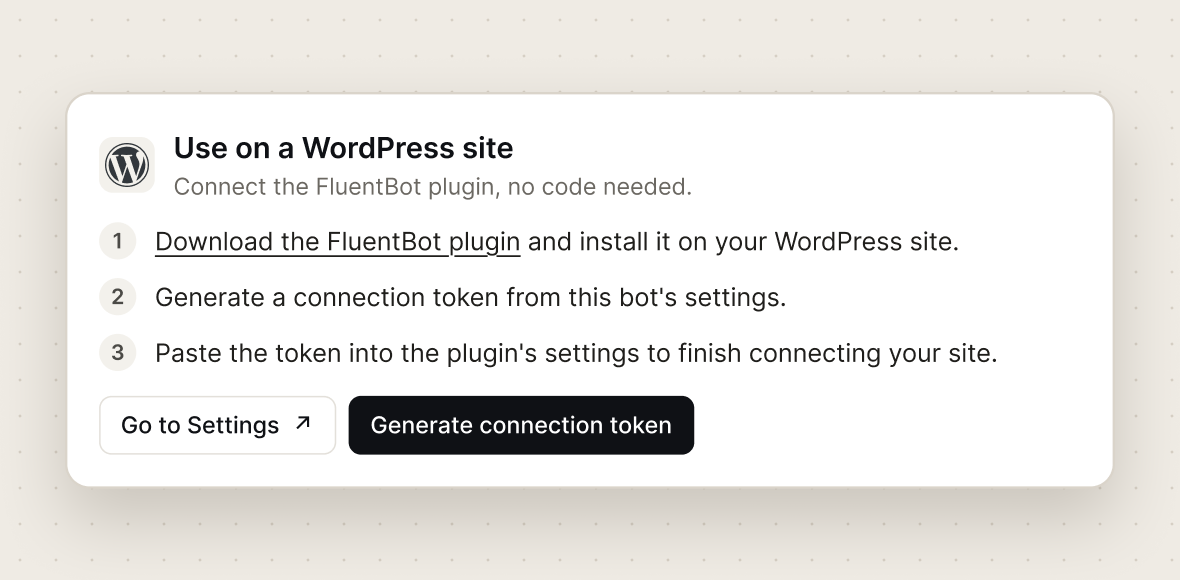
Install the connector plugin, paste your connection token, and switch the widget on. Manage your chat experience from your WordPress dashboard.
Need something more tailored?
Join the early-access list.
Tell us a little about your team and what you want to build with FluentChat. We’ll be in touch when early access opens.
Answers to your top questions
Contact supportWhat is FluentChat?
–FluentChat brings AI agents and human support together on your website. Train agents on your business content to answer questions, guide visitors, and support customers. Bring in your team when personal help is needed, and manage conversations from one shared inbox.
Can I use FluentChat on my website?
+Where does FluentChat get its answers?
+Can customers choose to speak with a human?
+Can I run multiple AI agents with different instructions and knowledge?
+How do I keep AI answers current and improve them over time?
+How do you stop it from making things up?
+Can I run FluentChat beyond a single website widget?
+How do I get started?
+Put an AI agent on your website today
Give customers AI answers backed by your content and a clear path to your team. Bring both together with FluentChat.