

Message Shortcuts
Message Shortcuts are saved canned responses for agents to fire off in escalated chats. They cut typing on common replies — greetings, refund procedures, “let me check on that,” etc. — without losing the agent-to-visitor feel.
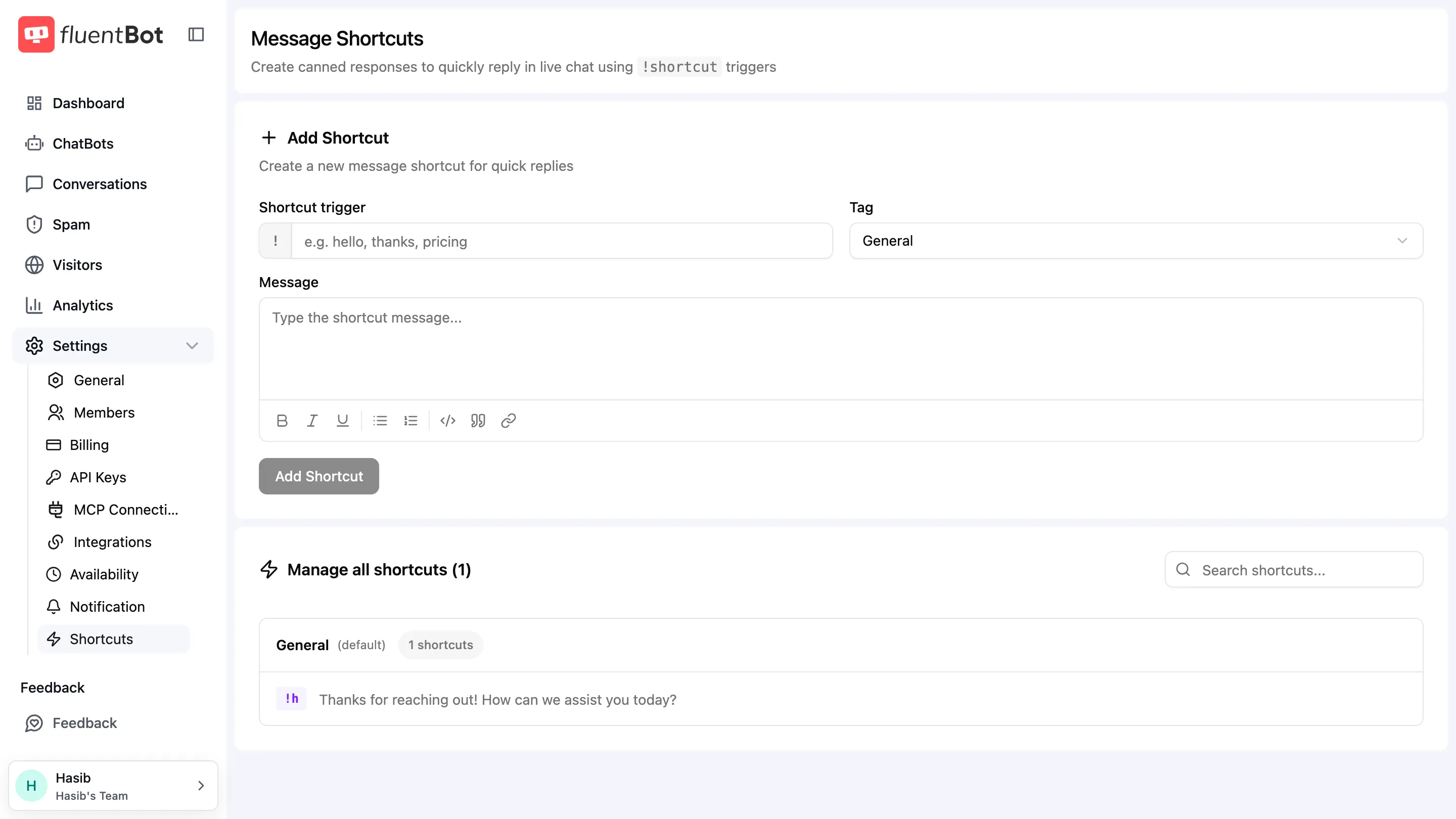
Manage them at Settings → Shortcuts in the main sidebar. Use them inside the Live Chat composer with !shortcut triggers.
What a shortcut is
A shortcut has three pieces:
- Shortcut trigger — the word typed after
!(for example!helloor!pricing). - Message — the rich-text response inserted into the composer.
- Tag — one group such as
General,Refunds, orOnboarding.
Shortcuts are team-scoped. Every agent on the team sees the same library; edits propagate immediately.
Authoring shortcuts
Open the Shortcuts page and:
- Add a shortcut trigger.
- Select a tag.
- Write the message body.
- Save.
You can edit or delete an existing shortcut from its row. Tags can also be created, renamed, or deleted; deleting a non-default tag moves its shortcuts to the default tag.
Using a shortcut in chat
In the Live Chat composer:
- Open the Shortcuts composer tab, or type
!followed by a search term. - Search by trigger or message text.
- Select one. The body fills the composer.
- Edit before sending if needed (e.g. swap in the visitor’s name).
- Send.
Shortcuts are templates, not auto-sends. The agent always reviews and can edit before pressing send.
Variable substitution
Shortcut bodies are inserted as authored — there’s no built-in variable substitution today (e.g. no {{visitor.name}}). Personalize manually before sending.
Versioning
There’s no shortcut version history. Edits overwrite the saved shortcut, while messages already sent from a shortcut remain unchanged in the conversation history.
Best practices
- Lead with greeting + acknowledgement shortcuts — they’re the most-used.
- Keep bodies short — long canned responses feel canned. Aim for sentences agents can extend, not full essays.
- Use clear tags — when the library grows past 20, tags are how agents keep the list scannable.
- Review monthly — outdated shortcuts (referencing a deprecated feature, an old policy) cause more harm than good.
Troubleshooting
- “Shortcut picker is empty” — no shortcuts have been created yet, or you’re filtering by a tag with no matches. Clear the filter.
- “My edit didn’t propagate to other agents” — shortcuts are live; reopen the picker. There’s no caching beyond the agent’s current page state.
- “I deleted a shortcut but it’s still in old chats” — deleting the shortcut doesn’t redact messages that were already sent.
What’s next
- Live Chat — where agents fire shortcuts.
- Human Escalation — when chats land in front of an agent.
- Agent Profiles — agent identity in the widget.